
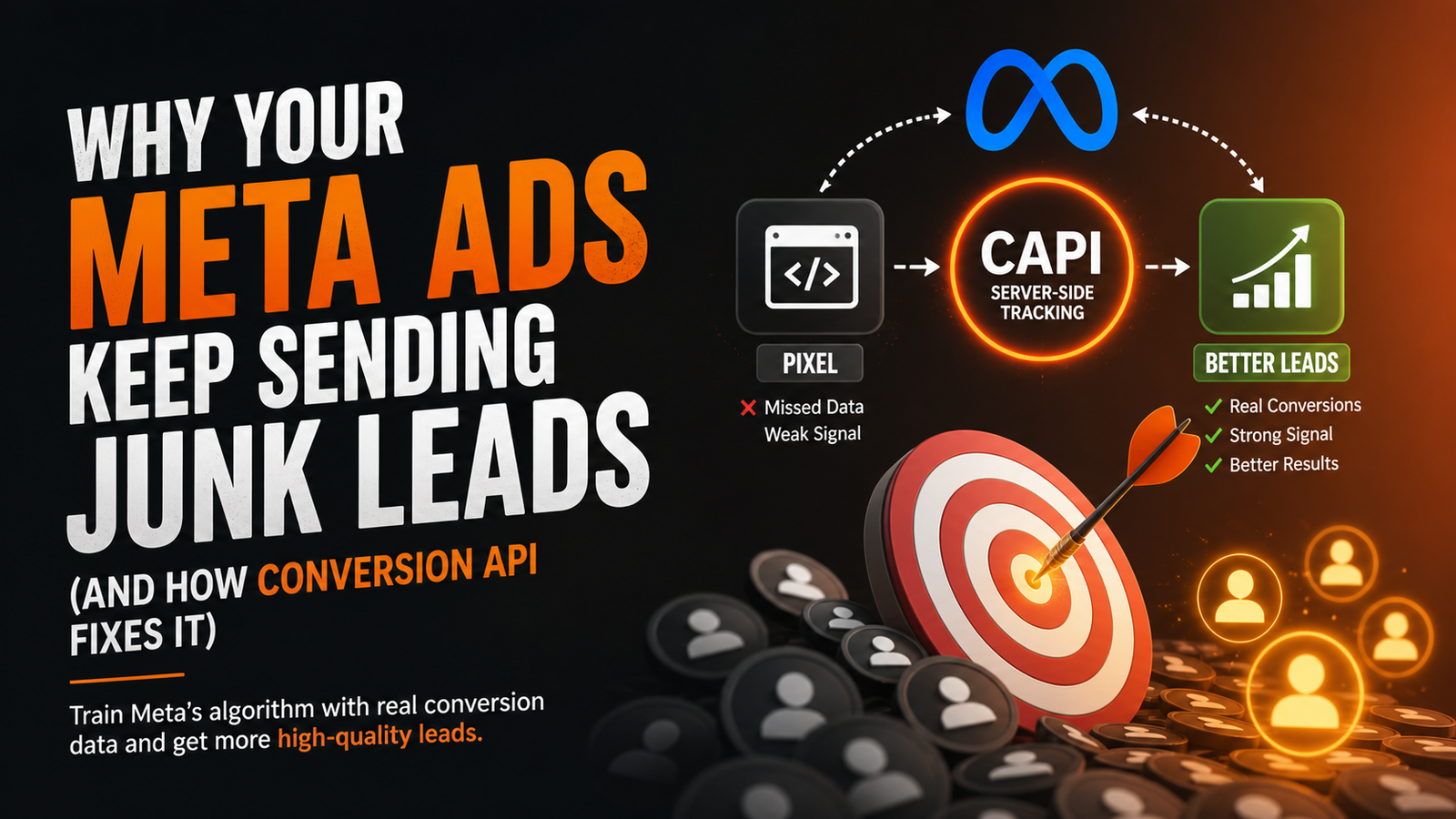
Here's what most businesses running Facebook and Instagram ads don't understand: Meta's algorithm is not psychic. It cannot figure out which leads turned into customers unless you tell it. And if you never tell it? It keeps doing exactly what it's always been doing — sending you the same type of leads, good or bad, forever.
This is where the Meta Conversion API (CAPI) comes in. And once you understand how it works, you'll never run a lead campaign the same way again.
The Pizza Shop That Never Asked for Feedback
This is not a metaphor. This is literally how Meta's machine learning works. When you run a lead generation campaign and never send back signals about what happened to those leads, the algorithm has nothing to learn from. It keeps optimising for the wrong thing — people who click "Submit" — rather than people who actually buy.
What Is the Meta Conversion API (CAPI), Actually?
The Meta Conversion API is a server-to-server connection between your business systems — your CRM, your website, your lead management platform — and Meta's advertising servers.
Unlike the old Meta Pixel (which runs in the browser and can be blocked by ad blockers, iOS privacy changes, or slow connections), CAPI sends data directly from your server. It's more reliable, more accurate, and far more powerful.
But the real magic isn't technical reliability. It's what data you can send back.
Meta Pixel vs. Conversion API: The Critical Difference
How the Feedback Loop Actually Works (Step by Step)
Let's break this down simply, using a real estate business as the example.
Step 6 is where most businesses drop the ball. They complete steps 1 through 5 — manually or chaotically — but never close the loop back to Meta.
Without step 6, Meta's algorithm sees a thousand form fills and has no idea which 50 of those actually bought. So it keeps targeting people who are likely to fill forms — not people who are likely to buy. That's a very different audience.
What Happens When You Close the Loop
When you consistently send quality conversion signals back through CAPI, Meta's algorithm starts identifying patterns in the people who actually converted. It looks at hundreds of data points — behaviour, timing, interests, device, location — and starts finding more people who match that profile.
Over time, your lead quality gets better. Your cost per qualified lead drops. Your ad spend starts working harder without you increasing the budget.
The Real Reason Your Lead Quality Is Bad
If you're getting leads that don't convert, there are usually two culprits:
Most businesses focus obsessively on the first problem (and still fail to fix it properly). Almost no one addresses the second.
Here's what's happening when you ignore CAPI: you're running the same ads to the same broad audience every day, getting the same mix of serious buyers and time-wasters — because Meta has nothing to differentiate them with. The pizza shop, again.
The Specific Events You Should Be Sending Back
This is where it gets practical. You shouldn't just send one "Lead" event and call it done. The more granular your signals, the smarter Meta gets.
Each of these signals teaches Meta a more nuanced version of "what a good customer looks like." The result? Your targeting gets sharper with every passing week — without you touching a single campaign setting.
Why Most Businesses Can't Do This (And What Changes That)
Setting up proper CAPI integration is not just a technical task — it requires your CRM, lead management system, and Meta ads account to all talk to each other in real time.
Most businesses fail here because:
This is exactly the gap that ADFLIKER is built to close. When your lead capture, CRM pipeline, WhatsApp automation, and Meta Conversion API are all connected in one system, the feedback loop runs automatically — no manual work, no missed signals, no wasted data.
The Compounding Effect Nobody Talks About
Here's the thing about CAPI that doesn't get enough attention: it compounds.
In week one, Meta gets a small batch of conversion signals. Not much changes. By week four, the algorithm has enough data to start optimizing differently. By month three, you're targeting an audience that looks almost entirely like your best past customers — and you haven't changed a single ad or targeting setting.
The pizza shop, again: after a month of feedback, the chef stops guessing. They know exactly what you want. Every pizza from that point on is built on accumulated knowledge. Your ad campaigns work exactly the same way.
The businesses that start this loop early have a compounding advantage over competitors still running "spray and pray" campaigns. Every rupee you spend while feeding Meta proper signals is building a targeting model that gets more valuable every single week.
Quick Summary: What You Need to Make This Work
If any one of these is missing, your feedback loop breaks — and Meta goes back to guessing.
Frequently Asked Questions